
Turn Your Vision into Success, Let It Fly with Us
Ensure Your Business Is Secure, Compliant & IT-Ready
Annual IT review checklist
Table of Contents
Executive Summary
- An annual IT review helps you check whether your technology is safe, dependable and fits your needs.
- The guide covers IT equipment, cybersecurity, user access, backups and recovery.
- It also helps you review software licences, cloud services, GDPR and data protection.
- Internet, Wi‑Fi, network performance and IT costs should be reviewed regularly.
- Outdated policies, devices, unused licences and former employee accounts can create risks.
- The guide highlights mistakes and gives quick wins to improve IT security and reliability.
- A practical 30‑day plan helps you review, secure, improve and plan your IT.
- Regular IT reviews can reduce risks, control costs. Prepare your business for future growth.
What You’ll Achieve
- Identify IT risks and weaknesses soon, as possible.
- Improve security measures, backups and user access controls.
- Cut down on IT expenses.
- Make sure systems are dependable and always current.
- Make a 12-month IT improvement plan.
Review Your IT Equipment
Why it matters
Old or unreliable computers, laptops, printers and networking equipment can reduce productivity and increase the risk of failures.
Checklist
| What to review |
|---|
|
• List all computers and laptops • Check the age and condition of devices • Identify devices that are slow or unreliable • Check warranty and support status • Review monitors, printers and other equipment • Replace equipment approaching the end of its useful life • Securely dispose of old devices |
- Minimum: Know which equipment the business owns.
- Better: Keep an up-to-date list of assets.
- Best: Plan replacement cycles so that equipment is replaced before it breaks.
Check Cyber Security
Why it matters
Cyber threats change all the time. Security measures that were good year may not protect enough now.
Checklist
| Security Checklist |
|---|
|
• Make sure antivirus and endpoint protection are running. • Check that operating systems and software are getting security updates. • Review firewall protection. • Make sure multi-factor authentication (MFA) is turned on where possible. • Review administrator accounts. • Remove unnecessary accounts and access permissions. • Check if important systems still use shared passwords. |
- Minimum: Basic security controls are turned on.
- Better: MFA, strong access controls and regular security reviews are, in place.
- Best: security testing and a documented cyber‑security improvement plan.
Review User Access
Why it matters
Employees change roles join or leave the business and take on new duties. Old accounts or many permissions can create security risks.
Checklist
| Review | Action |
|---|---|
| User accounts | Remove accounts no longer required |
| Leavers | Confirm access has been removed |
| Permissions | Check users only have access they need |
| Admin accounts | Limit administrator privileges |
| Shared accounts | Identify and replace where possible |
| MFA | Confirm it is enabled |
| Passwords | Review password policies |
- Minimum: Remove access when someone leaves the organisation.
- Better: Review permissions once every year.
- Best: Use role-based access. Conduct regular access reviews.
Review Backups and Recovery
Why it matters
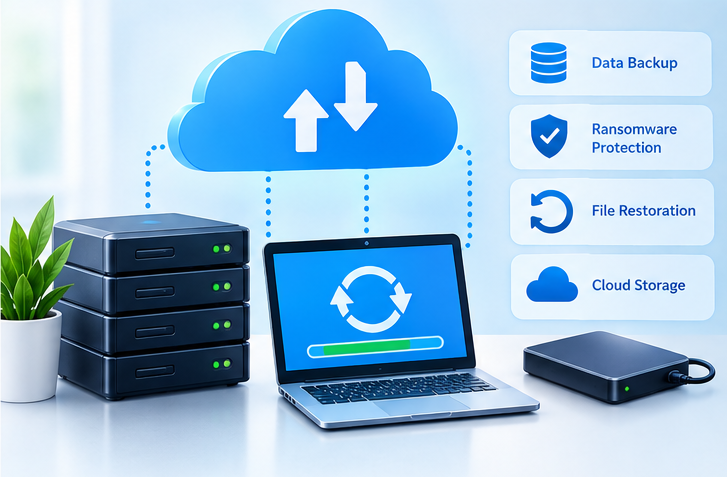
Backup is only useful if it can actually be restored. An annual IT review should check that your important business data is protected and that recovery procedures still work.
Checklist
- Minimum: Critical data is backed up.
- Better: Backups are. Regularly tested.
- Best: Maintain tested recovery procedures with defined recovery priorities.
Review Software and Licences
Why it matters
Software: Businesses often pay for software they no longer use. At the time important applications may have expired licences or unsupported versions.
Checklist
- Minimum: Keep software licensed and supported.
- Better: Review subscriptions annually.
- Best: Track licences centrally. Review usage before renewals.
Review Cloud Services
Why it matters
Cloud services: Many UK businesses depend on cloud services for email, file storage, accounting, collaboration and customer management. Losing access, to a cloud account can seriously disrupt operations.
Checklist
Review GDPR and Data Protection
Why it matters
Your IT systems hold information. This includes data about customers, employees and suppliers. Your annual review gives you a chance to make sure this information is treated properly.
Checklist
Review Internet, Wi-Fi and Network
Why it matters
Internet speed or unstable connections can slow down work across the whole business. Reliable connectivity is essential for day-to-day operations.
Checklist
- Minimum: A business internet and secure Wi-Fi setup.
- Better: Use business-grade equipment. Keep guest Wi-Fi separate.
- Best: Add network monitoring build in resilience and keep a record of your network configuration.
Review IT Costs
Why it matters
Technology costs can slowly increase through subscriptions, licences, support contracts and unused services.
Annual cost review
| Cost area | Review |
|---|---|
| Software | Are all licences being used? |
| Cloud storage | Is the current plan suitable? |
| Internet | Is the contract still competitive? |
| Hardware | Are replacement costs planned? |
| IT support | Is the level of support appropriate? |
| Security | Are important protections covered? |
| Mobile services | Are all business connections required? |
| Backups | Is the current solution reliable and cost-effective? |
Don’t focus only on reducing costs. The goal is to make sure money is being spent on IT that supports the business and reduces risk.
Common Mistakes to Avoid
An annual IT review should be proactive of waiting for failures because catching problems early saves time and money.
Do not automatically renew IT subscriptions without checking if they are still needed.
An IT backup that has never been tested may not help when it is actually needed.
Old IT equipment can become unreliable. May no longer receive important security updates.
Old IT accounts can remain a security risk if access is not removed properly.
Your IT review should also consider people, processes, security, costs and business goals.
30-Day Optimisation Plan
| Week 1. Understand | Week 2. Secure | Week 3. Improve | Week 4. Plan |
|---|---|---|---|
|
• List hardware. • List software and cloud services. • Identify business systems. • Review IT costs. |
• Review user accounts. • Check IT MFA. • Update IT software. • Review IT security controls. • Check IT status. |
• Test IT backups. • Replace or repair problem IT devices. • Remove IT licences. • Improve network or Wi-Fi issues. • Update IT policies. |
• Prioritise remaining IT risks. • Set an IT budget. • Plan IT hardware replacements. • Schedule IT security reviews. • Create an IT improvement plan, for the 12 months. |
FAQs
About This Guide
This guide has been written by Computer Support Centre to help UK small businesses review their IT each year. It provides a practical checklist covering security, equipment, backups, software, cloud services and IT costs. The guide is designed for business owners and directors who may not have a background. It helps businesses identify IT risks and understand what needs attention. Computer Support Centre created this guide to make annual IT reviews easier, clearer and more manageable.
Conclusion
An annual IT review helps your business keep its technology secure, reliable and suitable for its needs. By checking equipment, security, backups, software, cloud services and user access you can identify problems early. Reviewing IT costs also helps avoid paying for services or licences that are no longer needed. Regular reviews can reduce risks improve productivity and help your business prepare for growth. Use this checklist every year to keep your IT organised, secure and ready, for the 12 months.