 Skip to content
Password Policies for UK Businesses
Table of Contents
Why password security matters
- Passwords are commonly used to gain access to work systems such as email, documents and software.
- If someone has a weak password or reuses passwords on different systems, it will be easy for criminals to access their accounts.
- A hacker can access systems in seconds with an unsecured password.
- The majority of cyber security breaches are caused due to the theft or guessing of login credentials; this accounts for 85% of cyber security breaches.
- The data contained in one compromised user account is often used for theft, fraud and/or ransomware attacks.
- Companies are legally obligated to report strategic breaches to the appropriate authority, for example under the UK GDPR.
- Financial frauds, including cases of BEC, can result in a huge monetary loss to an organisation.
- Good password hygiene can significantly reduce risk against potential security breaches.
- Generally, simple and usable password policies have a higher success rate than overly complex password policies which users find difficult to implement.
- Having a clearly defined password policy helps to ensure that businesses can protect their assets through effective user management and usability.
What a password policy is
- A password policy, or set of rules and procedures regarding the use of passwords within an organisation, guides employees in the process of creating and managing their passwords (or passphrases). It usually provides direction regarding:
- Length and strength of passwords.
- Frequency of change of passwords.
- Requirement for MFA (multiple factor authentication).
- Guidelines for sharing, writing down or reusing passwords.
- Use of password managers.
- Steps to take in the event that a password may have been compromised.
- Password policies are generally one page long, found within an organisation's employee manual, and typically reinforced through short training sessions. They are not meant to penalise employees, but rather to provide a level of protection to an organisation, its customers and the individual employee.
Why weak password practices are a major risk
- Poor password management is a primary pathway for attackers. They do not need advanced hacking tools to exploit weak passwords or shared passwords like "Password123." By 2025, most UK security breaches resulted from stolen or shared passwords. Other than accessing the account:
- Accessing emails and customer information.
- Accessing emails and customer information.
- Encrypting files with ransomware (not being able to access files without paying).
- Impersonating staff members to acquire personal or financial information from others.
- Under the UK GDPR, if personal data is accessed or lost due to poor security (including poor password security), the data controller must notify the Information Commissioner's Office (ICO) within 72 hours of becoming aware of the incident if personal data poses a significant risk to individuals. If someone is subject to a data security incident due to poor password security practices, you may also be subject to hefty penalties and reputational damage. Establishing a solid password policy and using multi-factor authentication (MFA) will help prevent most of these types of breaches.
Per Device Pricing
- Modern guidance (NCSC, NIST, Microsoft) has changed. Here’s what will be most effective in 2026:
- Long Passphrases (14+ characters): Long passphrases (14+) are much stronger than short complex passphrases.
- Regular changes not required: You only need to change your password if you know it's been compromised, otherwise you tend to create passwords that would be less secure by adding “1” to your password every 30 days or adding the name of the month.
- Avoid Repeating Passwords: Never reuse any previous password or use the same password for different accounts.
- Multi-Factor Authentication: Mandatory; using an app code or a push notification makes it much hard for someone to use a stolen password
- Encourage Password Managers: To keep track of unique, strong passphrases securely.
- Never Share Your Logins!: Sharing logins (whether verbally, via email or in written notes) makes everything less secure.
Recommended password policy for SMEs
- Here are Some Good Guidelines to Follow for Most Small to Medium Sized Enterprises (SMEs) in UK:
- Minimum number of characters is 14 (using a passphrase, e.g. “Ilovemydog2026”).
- No mandatory change every month but change right away if a password has been compromised or leaked.
- Passwords must not be reused, once they have been used on a website/account they must not be used anywhere else.
- Multi-Factor Authentication (MFA) required on all work accounts.
- Use a corporate-approved Password manager to keep your passwords safe.
- Do not tell anybody your password verbally, or by email/text/note.
- Account will be locked after 5 consecutive failed password attempts for a length of 30 minutes.
- Any suspected compromise of an account must be notified to IT/Security immediately.
- This is a robust policy to ensure employees have a way of remembering their passwords easily through the use of a passphrase and uses MFA which provides good security as well as eliminating the frustration of changing passwords each month that have not been compromised.
Multi-factor authentication (MFA) explained
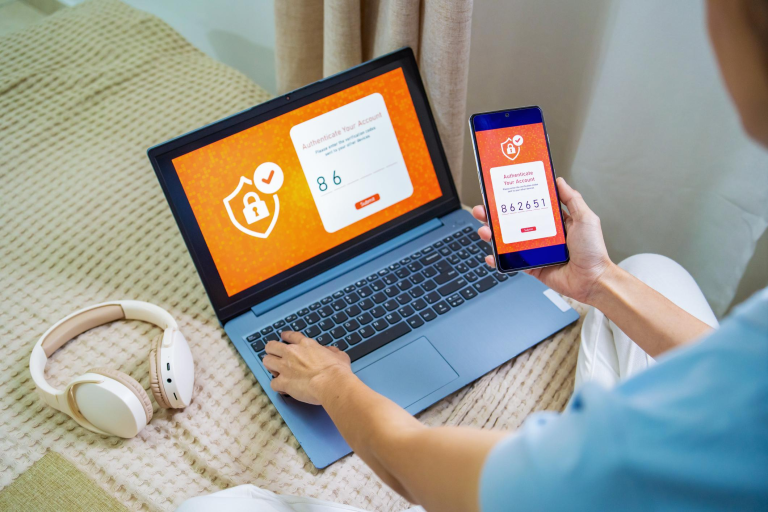
MFA is a second verification step after entering your password; this can usually take the form of a verification code sent to your app (Microsoft Authenticator or Google Authenticator) or via push notifications.
MFA stands as the most effective control method against automated attack attempts of taking over an account based on the Microsoft statement that MFA prevents 99.9% of these types of attacks. In the event that a password is stolen, nobody will be able to access an account without having the second verification method (or factor).
Must Do: Enable MFA on email, cloud-based storage, accounting systems and CRM; this should take no more than 15-30 minutes for your entire organisation to complete.
Best Practice: Implement app-based verification instead of SMS verification for MFA because SMS verification is prone to SIM swap.
Quick Win: Turn on MFA via your Microsoft 365 or Google Workspace Admin Center today.
Password management tools
- Password management software allows an employee to store unique and complex passwords securely so they do not have to remember them all.
- Benefits to businesses:
- Unique passwords that are not reused
- One master passphrase for your employees to remember
- Secured sharing of accounts for team members
- Audit trail of who has accessed each account to determine accountability
- Recommended Software (UK – 2026):
- Bitwarden Teams (£3-5 per user, per month)
- 1Password Business (£6-8 per user, per month)
- LastPass Business (£4-7 per user, per month)
- Quick Win: Choose one of the tools listed, create a company account and enforce their usage for work-related logins.
Common mistakes businesses make
- Making monthly changes: employees develop weaker passwords; i.e., “Password1” becomes “Password2”
- Allowing for password reuse: once a password is compromised, everything is compromised.
- No multi-factory-authentication (MFA): if someone steals your password, then they have full access to everything!
- Not using a password manager: staff either write down their passwords or will steal them by using others' passwords repeatedly.
- Using a shared admin account: no way to trace what was done
- Ignoring your leaked passwords: don’t check if you have been hacked on Have I Been Pwned.
Password policy checklist
- Has the policy been written and approved?
- Is there a minimum length requirement of 14 characters?
- Are there no forced monthly changes?
- Is MFA required on all work accounts?
- Is a password manager recommended/required?
- Is there a clear prohibition against sharing passwords?
- Has training/communication occurred for all staff?
- Has access for leavers been revoked on the same day?
- Is there an annual review of the policy?
Staff password best practices checklist
- Does the staff member use a passphrase of at least 14 characters?
- Does the staff member have a unique password for each work account?
- Does the staff member have MFA enabled for all accounts?
- Does the staff member use a password manager?
- Does the staff member have a policy prohibiting sharing passwords?
- Does the staff member report suspicious emails as soon as possible?
FAQs
Only when you have reason to believe they have been compromised – forcing monthly changes can lead to weak passwords according to NCSC guidance.
Yes – reputable password managers (Bitwarden, 1Password, LastPass) provide strong encryption and are safer than remembering your passwords or writing them on paper.
Yes – MFA protects against almost all credential-based attacks (like hacked email accounts) and is now included as a requirement for Cyber Essentials.
14 or more characters using mostly passphrases; length will matter more than complexity.
No – providing hints makes it easier for someone to guess you password; use a password manager instead.
Enable employees to self-serve password resets (through Office 365/Google app) using MFA recovery.
Check with the “Have I Been Pwned” website for free or set up alerts through Microsoft/Google.
No – although MFA provides the highest level of protection, passwords still need to be treated securely and separately from MFA.
About This Guide
This password security guide was developed by the Computer Support Centre for UK small and medium enterprises to explain password security in plain, practical terms. It clarifies how the majority of cyber attacks are perpetrated using weak passwords and outlines practical guidelines that are both easy to understand and implement for employees to assist in maintaining good password habits. The purpose of this guide is to assist businesses in better securing their organisations while not creating excessive additional burden on employee time. Furthermore, it will assist organisations in fulfilling their obligations under the UK General Data Protection Regulation (GDPR) while protecting their information, systems and end users.
Conclusion
Implementing good password practices is one of the simplest and most effective methods of protecting your company from cyber attacks. By using longer passphrases, enabling Multi-Factor Authentication (MFA) and avoiding password reuse, you can greatly decrease the risk of account compromise and data breaches.
A straightforward, well-communicated password policy, trained employees and password management tools will create a solid first defence line against cyber attacks. Companies should focus on developing and maintaining good practical habits that all employees can practice routinely rather than creating complex, hard-to-follow rules.
By taking these small but significant steps today, you can avoid expensive cybersecurity incidents tomorrow and help ensure the safety of your company, its data and customers.