 Skip to content
Turn Your Vision into Success, Let It Fly with Us
Ensure Your Business Is Secure, Compliant & IT-Ready
Website Speed Guide for Small Businesses (UK)
Table of Contents
Executive Summary
- Real users’ speed is the timeliness to view your site as well as using the site versus just testing.
- Visitors will not use a slow site, require a slow site, or trust a slow site; especially when searching by mobile.
- When ranking sites, Google considers both speed of the site and user experiences of using the site; however, speed is not enough to guarantee it will rank.
- Most small businesses will experience slow site performance due to hosting, images, and third-party scripts.
- Many steps to enhance the speed of your site can take place with little or no cost.
- Some speed improvements will require technical assistance; however, not all improvements will require technical assistance.
- In relationship to most of the UK, speed on mobile devices is much more important than on desktops; therefore to the majority of UK businesses it is very important to improve the performance of a website.
- Google provides a method for measuring a website’s speed and usability with core web vitals.
- Optimising your website is not a one-time project and will require continued maintenance from time to time.
Who this guide is for
- This guide is for:
- Small businesses and SMEs in the UK with 1–250 employees.
- Owners of and directors of small businesses.
- Marketing managers and people who do not have much technical background with their website.
- Anyone responsible for the slow performance of their website.
What Website Speed Actually Means
- Website speed isn’t just about how long it takes a page to load; there’s much more to it than that.
- Here’s what’s included in website speed:
- How fast does something show on the screen?
- How fast can the user start scrolling and/or clicking?
- Is the page jumping around when it loads?
- Site speed is not just about how fast the site works on a modern laptop (e.g., desktop PC or Mac) compared to how fast the site works on mobile (i.e., 3G data).
- While a site may appear fast on a modern laptop, it may feel slow to real people trying to access a site from a mobile device in the UK.
How Website Speed Affects SEO, Conversions, and User Experience
SEO (Search Engine Visibility)
Google measures quality based upon speed as well as other user experience indicators (e.g., bounce rate). Slow websites would have a hard time competing against other companies within the same industry.
Conversions
When a page loads slowly, there will be increased bounce rates. Even a slight delay can decrease the number of forms submitted, calls made, or purchases made.
User Trust
Users do not feel confident with a website that loads slowly. They may believe the company is not trustworthy.
Accessibility
The performance of a website will affect access to it or accessibility for users. Users with poor connections or outdated technology will experience a difficult time accessing a heavy website.
One-Page: Website Speed Basics Checklist
- Hosting suitable for UK traffic
- Mobile-first performance checked
- Images properly sized and compressed
- No unnecessary plugins or scripts
- Fonts limited and optimised
- Caching enabled
- Core Web Vitals monitored
- Speed checked monthly
Full Website Speed Improvement Checklist
1) Hosting & Server Performance
Why It Matters
Your host is the foundation of your business’s online presence. There is no amount of optimisation that will fix a slow server.
What to Check
- The location of the hosting server (in the UK, or close to)
- The type of hosting (shared or managed)
- The server’s response time
Simple Fixes
- Get away from the overcrowded shared services
- Use reputable providers that are based in the UK
Advanced Fixes
- Managed hosting services
- Use caching (at the server level) to speed up performance
- Optimise PHP or runtime versions
Common Mistakes
- Choosing a host by price alone
- Assuming that all web hosts are the same
2) Images & Media
Why It Matters
Images are the number one reason a page takes a long time to load.
Simple Fixes
- Compress your images
- Use the webp format whenever possible
- Use lazy-loading on images below the fold
Advanced Fixes
- Use responsive image sizing
- Use content delivery networks (CDN) for media delivery
Common Mistakes
- Uploading images directly from your phone or from design jobs
- Using background video unnecessarily
3) Page Weight & Design
Why It Matters
Heavy designs cause everything to be slower.
Simple Fixes
- Reducing font families
- Removing unnecessary animations
Advanced Fixes
- Optimising themes
- Creating custom lightweight theme templates
- Choosing design over usability.
Common Mistakes
- Choosing design over usability
- Layering multiple builders or frameworks
4) Plugins & Scripts
Why It Matters
Each additional script increases your page load time.
Simple Fixes
- Eliminating unnecessary plug-ins
- Delaying loading for non-essential scripts
Advanced Fixes
- Script optimisation
- Server-side tracking alternatives
Common Mistakes
- Installing plug-ins that are “just in case.”
- Not reviewing out of date tool.
5) Mobile Performance
Why It Matters
Most traffic in the UK comes from mobiles.
Simple Fixes
- Images optimised for mobile.
- Reduce the number of elements on each page.
Advanced Fixes
- Redesign with mobile first.
- Conditional loading.
Common Mistakes
- Designing for desktop first.
- Failing to test on mobile devices.
6) Caching & Delivery
Why It Matters
Caching saves time by reducing the amount of time required to load pages multiple times.
Simple Fixes
- Implementing basic caching.
- Using host-provided caching.
Advanced Fixes
- Implementing CDN.
- Implementing edge caching.
Common Mistakes
- Misconfigured caching.
- Clearing the cache repeatedly.
Common Speed Killers for Small Business Websites
- Cheap Hosting
- Too much background music on your web page.
- Large Images
- Overly Large Theme Templates
- Too Many Unused Plugins
- Too Much Tracking
- Autoplaying Media Files
30-day backup setup plan
| Week 1 | Week 2 |
|---|---|
|
|
| Week 3 | Week 4 |
|
|
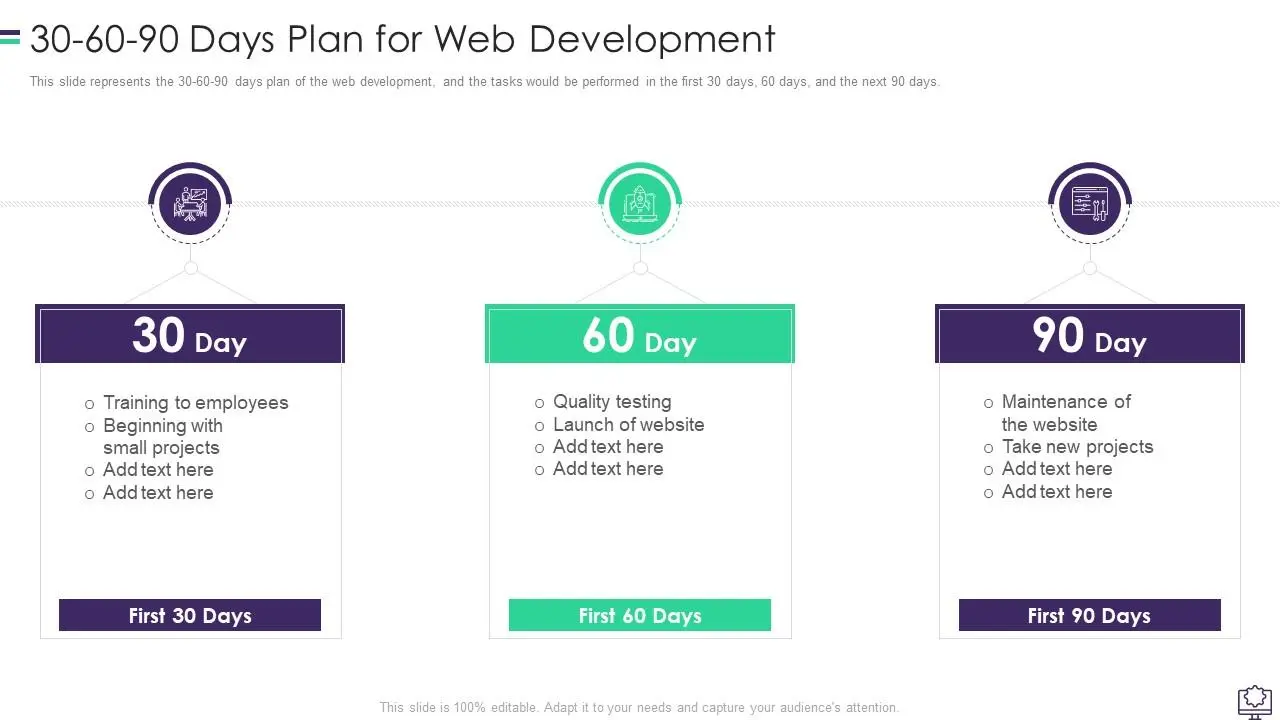
30-60-90 Day Plan for Web Development
FAQs
Speed Must Be Fast Enough To Feel Instant On A Smartphone (Less Than 3 Seconds)
No, More Often Than Not Better Performance Will Enhance User Experience/Usability.
Yes, But There Are A Number Of Factors Impacting Google Rankings.
Once A Month, And After Any Changes.
Yes, Usually, But It Can Be Other Factors (Bad Hosting, Bad Business Practices).
About This Guide
The Computer Support Centre created this guide to provide information in a way that is easy for small businesses to understand regarding the speed of their website. The information is based upon our own personal experience of improving slow websites for small businesses who rely heavily on their websites for inquiries, having a sense of trust in their business from having an online presence, and being able to be found through searches of their business.
This guide is not intended to promote any tools or services but rather to provide clear explanations of what affects the speed of a website, the common issues that small businesses have in relation to the speed of their website, and examples of practical improvements that small businesses can undertake to make a significant difference to the speed at which their website loads. All information provided within this document has been written for a non-technical audience in plain English. This document is intended to provide practical information rather than jargon.
Conclusion
Speed of a website is no longer a “nice to have,” it has a direct impact on a user’s experience, trust in your business and the performance of the business overall. Fortunately, most of the speed-related issues that small businesses experience are common, usually able to be resolved, and generally can be prevented by using the proper methods.
By knowing the basics, checking performance regularly, and gradually improving, small businesses can maintain a fast and reliable website and compete without too much complication.