
BYOD Policy Template for UK Small Businesses
Table of Contents
BYOD Policy Template
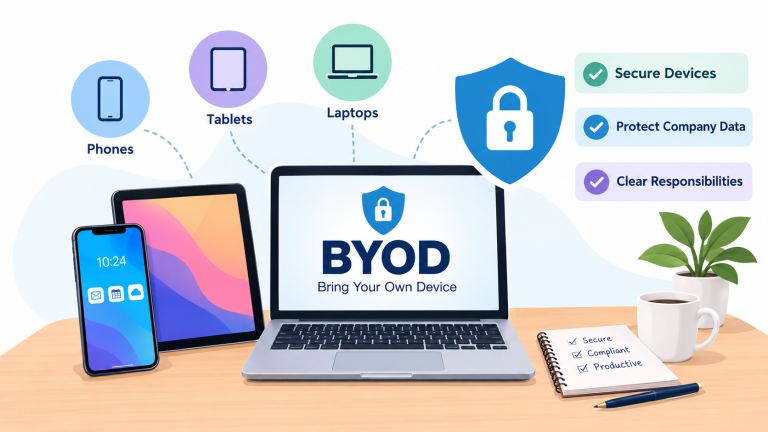
- Employees often use their phones, tablets and laptops to read work email join meetings or access company files. This is known as Bring Your Device (BYOD).
- Allowing personal devices can be convenient. It also creates security and privacy risks. A clear policy explains which devices are permitted what protection is required and how business access will be removed when necessary.
1. What Could Go Wrong Without BYOD Rules?
- Imagine an employee downloads a customer spreadsheet onto a laptop. The laptop is shared with family members. Does not have an up-to-date operating system. Later the device is lost.
- Without an agreed BYOD procedure the business may not know what information was stored on the laptop, who could access it or how to revoke access to company services.
- A BYOD policy helps the business plan for situations like this before they happen.
2. Device Approval Checklist
- Before a personal device is allowed to access business information check the requirements that apply to your organisation.
Device eligibility
Security settings
Business access
3. BYOD Responsibilities
| Person or team | Responsibility |
|---|---|
| Employee | Keep the device secure, follow the policy and report loss or suspected compromise. |
| IT team or provider | Set access requirements, assess reported incidents and remove business access where appropriate. |
| Management | Approve the policy and decide which types of personal-device use are permitted. |
| Policy owner | Review the policy and update it when devices or working practices change. |
4. Copy-Ready BYOD Policy
- Organisation: [Insert business name]
- Policy owner: [Insert role]
- Date: [Insert date]
Permitted use
- Devices may access company information only when approved by the organisation and when the relevant security requirements have been met.
- The organisation must document which device types, operating systems and applications are supported.
Protection of company information
- Users must access work information through approved services. They must not transfer business information to personal email, unapproved cloud storage or unauthorised applications.
- Devices must meet the organisations screen-lock, update, encryption and authentication requirements.
Lost, stolen or compromised devices
- Users must report a lost, stolen or potentially compromised device promptly to [insert reporting contact or method].
- The IT team should assess the risk, secure accounts and revoke access where appropriate. Any remote locking or removal of company data must follow the approved procedure.
Privacy and device management
- Before personal devices are enrolled in a management system the organisation must explain what information it collects, what controls it can. Whether it can remove company data.
- Employees should understand the limits of the organisations access to information. The policy must accurately reflect the technology and configuration.
Leaving the organisation
- When employment ends or BYOD access is no longer authorised the organisation must revoke business access and remove company information using the agreed procedure.
- The process should distinguish company data from data wherever the technology supports that distinction.
Exceptions
- Any exception must be approved by [ authorised role] documented and reviewed for security and privacy risks.
5. What to Do When a Personal Device Is Lost
- 1. Report: The employee contacts the agreed IT reporting channel.
- 2. Assess: The IT team identifies the business accounts and information the device could access.
- 3. Protect: The team revokes sessions, disables access or resets credentials where necessary.
- 4. Manage the device: Use available remote-locking or company-data removal controls when appropriate.
- 5. Review: Record the incident identify any exposed information. Decide whether further action is needed.
6. BYOD Policy Review
- Review the policy when your organisation introduces a device-management service changes cloud applications allows new device types or identifies a new security or privacy risk.
Related Resources
See our Free IT Policy Templates for UK Businesses for related policies. A Mobile Device Policy and Information Security Policy can provide further detail on device controls and the protection of business information.
Disclaimer: This template must be adapted to your devices, management tools, privacy arrangements and business requirements.